STM32MPU 开发环境搭建

嵌入式设备通常无法自己编译自己运行的程序,这时候就需要有一台主机来负责编译程序。但是主机的平台和嵌入式平台是不一样的,芯片的指令集也不一样。这时候就需要用到交叉编译,也就是在主机上安装嵌入式平台的 SDK,来进行编译开发。

一、前提条件

  • Linux 环境(虚拟机也可以)
  • SDK, 我这里用的版本是en.SDK-x86_64-stm32mp1-openstlinux-6.1-yocto-mickledore-mp1-v23.06.21.tar.gz,下载完成后解压

二、指令

  • 进入 SDk 目录
1
2
3
4
5
6
7
8
9
10
11
12
chmod +x <image>-<distro>-<machine>-<host machine>-toolchain-<Yocto release>-<version>.sh
./<image>-<distro>-<machine>-<host machine>-toolchain-<Yocto release>-<version>.sh -d <SDK installation directory path>
source <SDK installation directory path>/environment-setup-<target>-<distro>-linux-gnueabi
// source /opt/st/stm32mp1/4.2.1-openstlinux-6.1-yocto-mickledore-mp1-v23.06.21/environment-setup-cortexa7t2hf-neon-vfpv4-ostl-linux-gnueabi

// DEBUG
echo $ARCH
arm
echo $CROSS_COMPILE
arm-ostl-linux-gnueabi-
$CC --version
arm-ostl-linux-gnueabi-gcc (GCC) <GCC version>

三、打印 hello world

The SDK environment setup script must be run once in each new working terminal in which you cross-compile:

  • 创建一个 c 文件

    • vim hello.c
  • 代码如下:

    1
    2
    3
    4
    5
    6
    #include <stdio.h>
    int main(int argc, char* argv)
    {
    printf("hello, world.\n");
    return 0;
    }
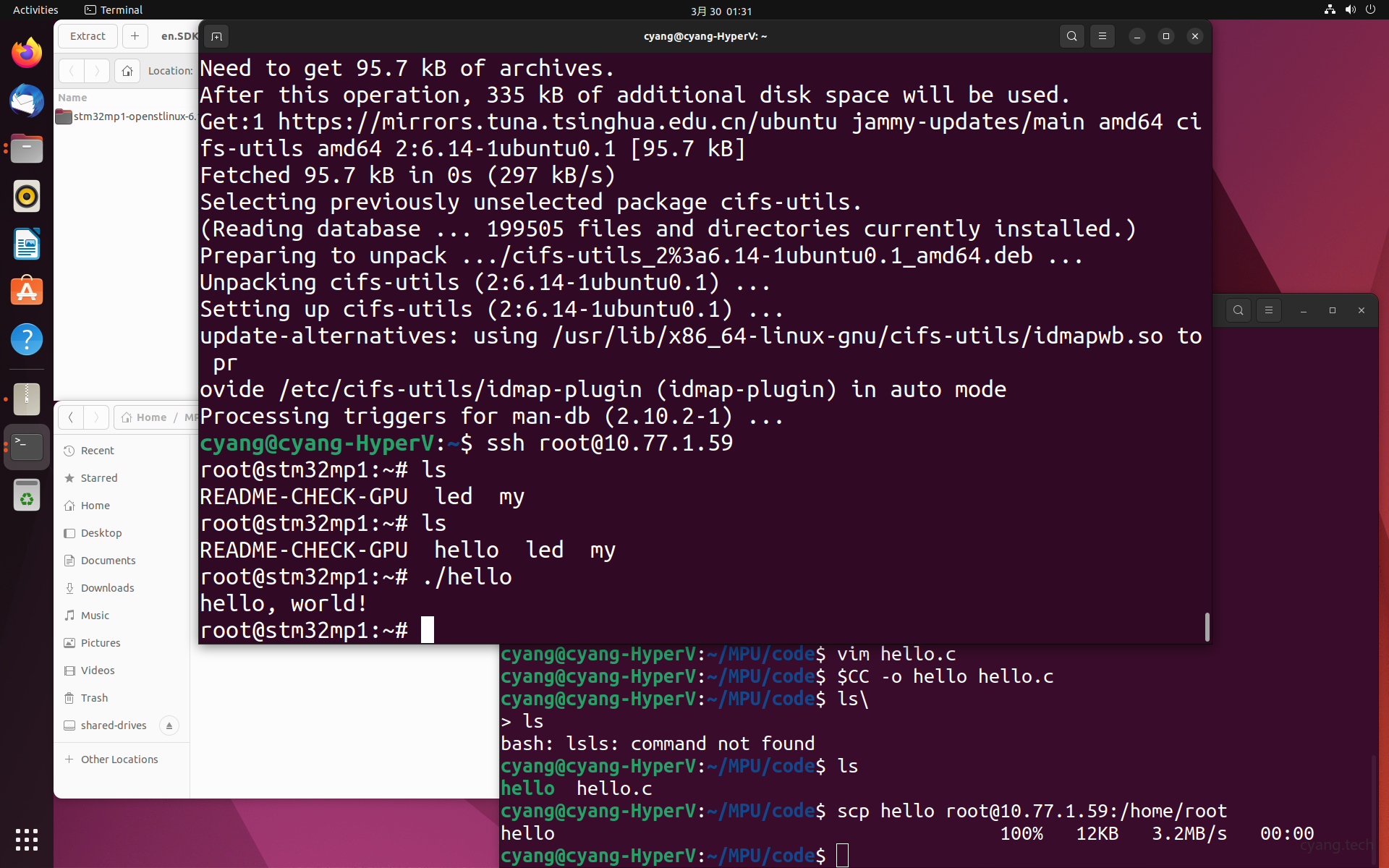
  • 编译

    • $CC -o hello hello.c
  • 拷贝到 STM32 MPU 开发板

    • scp hello ip:/home/root
  • 运行

    • ./hello
      sdk

四、参考链接

  1. PC_prerequisites
  2. SDK installation
  3. SDK Download